DocsNavigation
Route instructions
What turn-by-turn guidance looks and sounds like: approaching a turn, turning, floor changes, distances, voice, the directions list and arrival.
On this page
Once a visitor’s location is known, Veeee plans the route and starts guiding. The route is planned on Veeee’s servers; the timing of each instruction is decided on the phone from footsteps and heading, so it responds immediately as the visitor walks.
Turns
| Moment | On screen | Spoken |
|---|---|---|
| About 8 m before a turn | Turn left · in about 8 m, or at {place}, at the next junction, at the next corner | “In about 8 meters, turn left.” |
| 1.5 to 3 m before, depending on pace | Turn left now | “Turn left now.” |
| Through a door | Turn left through the doorway | the same |
| Straight on at a junction | Continue straight through the intersection | the same |
| Along a corridor | Continue to {place}, Head toward {place}, Continue straight | the same |
Distances are rounded to friendly values and written “about N m”. They come from the connection distances the organization mapped, so a map with careful distances gives well-timed instructions.
Floor changes
- Approaching: Continue to the elevator or Continue to the stairs.
- At the change: Take the elevator to Floor 2, Take the stairs up one floor, Take the stairs down to Lower floor 1.
- After: Exit the elevator or Leave the stairs, followed by the next turn, for example Leave the stairs and turn left.
Voice
Instructions are spoken with the phone’s built-in speech. Voice is on by default and the Voice on / Voice off control remembers the choice on the device. Each sentence is said once; urgent instructions such as “Turn left now” and “Route updated” interrupt less urgent ones. Speech stops while navigation is paused or the page is hidden.
The directions list and the map
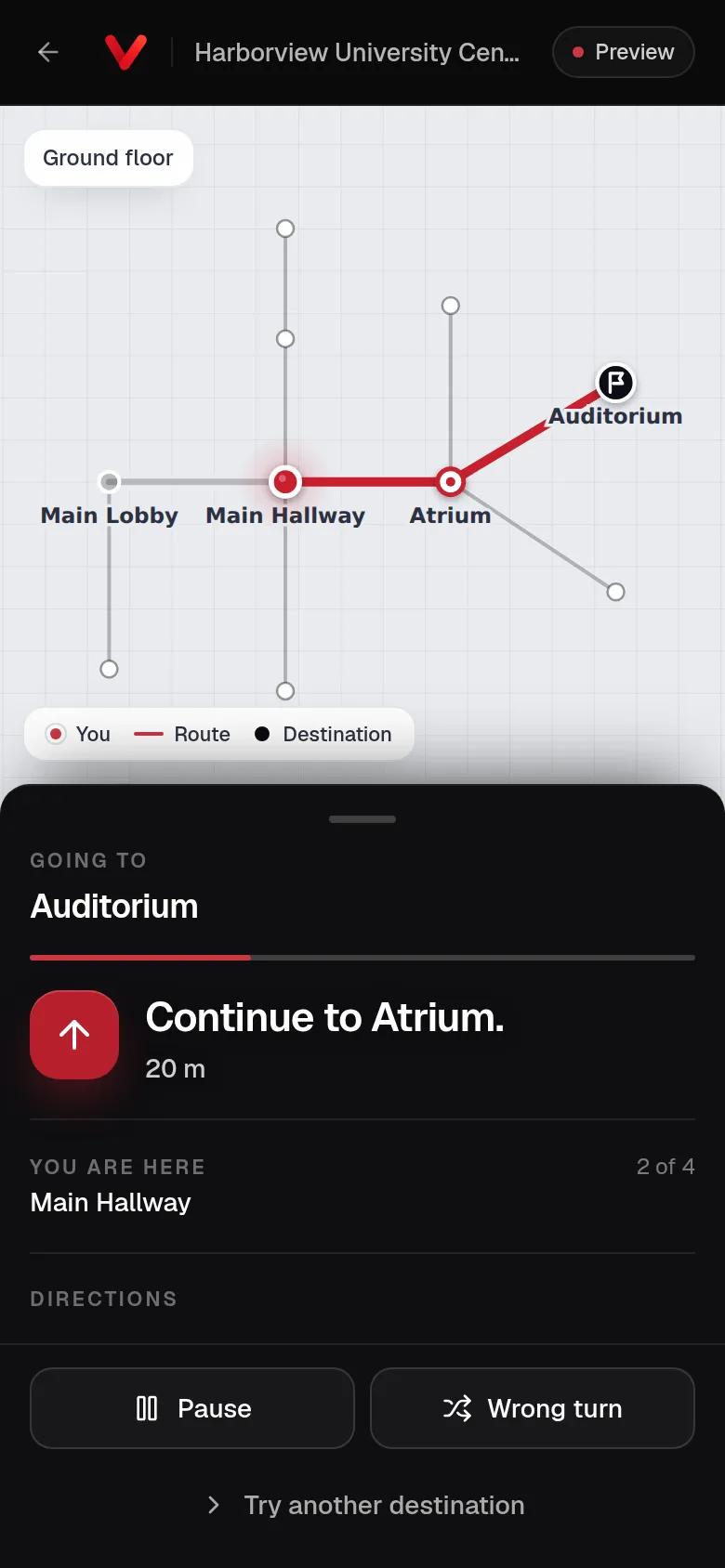
On a phone the camera view fills the screen with the current instruction over it; Map switches to the drawn route and Directions opens the full list of steps, ending with Arrive at {destination}. The summary shows the distance, the walking time and the floors. On a large screen the map, the directions and a Route progress track sit beside the camera.
Controls
- Pause stops camera checks; Resume continues them.
- Stop Navigation ends the walk.
- Change destination returns to the conversation with its history kept.
- A camera switch appears when the phone has more than one camera.
- Leaving the page or switching apps pauses navigation; returning resumes it.
Arrival
When Veeee confirms the destination, the page shows You’ve arrived with the place and its floor, says “You’ve arrived at {name}.” once, and stops the camera. Go somewhere else starts a new request.